
Summarize this blog post with:



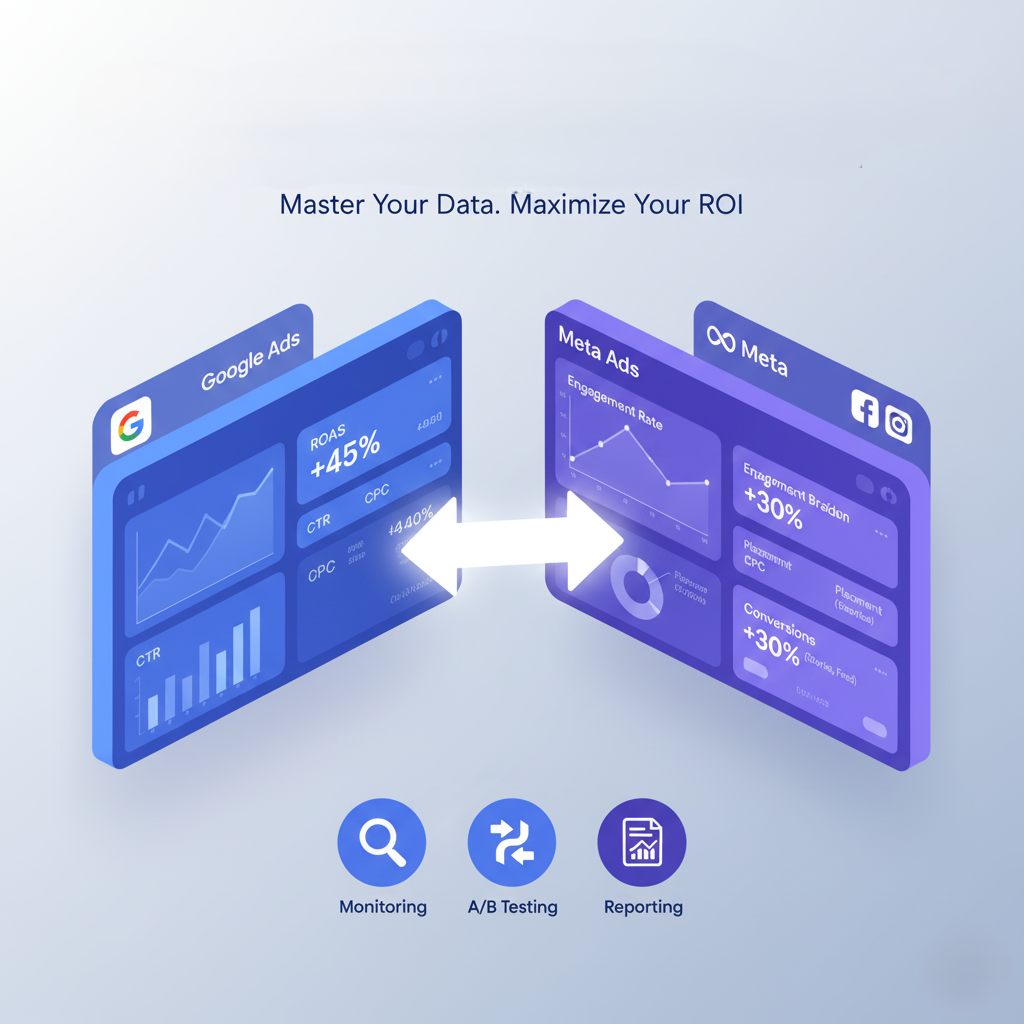
Understanding Google Ads and Meta Ads performance is crucial for digital marketers who want to maximize their advertising ROI and make data-driven decisions. Whether you’re running campaigns on Google’s search network or Meta’s social platforms, tracking performance metrics, conducting A/B tests, and generating comprehensive reports are essential skills that separate successful campaigns from wasted ad spend. In this comprehensive guide, we’ll explore everything you need to know about monitoring, testing, and optimizing your Google Ads and Meta Ads performance to achieve outstanding results.
Table of Contents
- Understanding Performance Tracking Fundamentals
- Setting Up A/B Testing in Google Ads
- Implementing A/B Testing in Meta Ads Manager
- Key Performance Metrics to Track
- Creating Comprehensive Performance Reports
- ROAS Tracking and Optimization Strategies
- Advanced Tools and Techniques
- Common Mistakes to Avoid
Understanding Performance Tracking Fundamentals
Before diving into specific platforms, it’s essential to understand what makes Google Ads and Meta Ads performance tracking effective. Performance tracking involves monitoring key metrics that indicate how well your campaigns are achieving their objectives.
Why Google Ads and Meta Ads Performance Tracking Matters
When you track Google Ads and Meta Ads performance effectively, you gain insights into customer behavior, campaign effectiveness, and budget allocation efficiency. Both Google Ads and Meta Ads provide robust tracking capabilities, but each platform has unique features that require specific approaches.
The foundation of successful ad performance monitoring starts with proper setup. For Google Ads, this means implementing conversion tracking through Google Tag Manager or direct pixel installation. For Meta Ads, you’ll need to install the Meta Pixel on your website to track user actions and conversions.
Essential Tracking Setup Requirements
To accurately measure Google Ads and Meta Ads performance, ensure you have:
- Conversion tracking pixels properly installed
- UTM parameters configured for campaign tracking
- Google Analytics 4 integration for cross-platform insights
- Custom audiences set up for remarketing
- Conversion values assigned for ROAS tracking
According to Google Ads and Meta Ads performance marketing experts at NuvoRetail, proper tracking setup is the foundation of all successful digital advertising campaigns.
Setting Up A/B Testing in Google Ads
A/B testing in Google Ads allows you to compare different ad variations to determine which performs best. This systematic approach to optimization is crucial for improving Google Ads and Meta Ads performance over time.
Creating Campaign Experiments
Google Ads offers a built-in experiment feature that makes A/B testing straightforward:
- Navigate to your campaign and select “Drafts & Experiments”
- Create a draft of your existing campaign
- Modify the elements you want to test (ad copy, keywords, bidding strategies)
- Set your experiment parameters including budget split and duration
- Launch the experiment and monitor results
What to Test in Google Ads
When optimizing ad performance, consider testing these elements:
- Ad headlines and descriptions – Test different value propositions and calls-to-action
- Landing pages – Compare different page designs and messaging
- Bidding strategies – Test manual vs. automated bidding approaches
- Keyword match types – Evaluate broad, phrase, and exact match performance
- Ad extensions – Test different sitelinks, callouts, and structured snippets
The comprehensive guide on A/B testing strategies explains how systematic testing can significantly boost your campaign ROI.
Best Practices for Google Ads Testing
To ensure your A/B tests provide reliable insights about campaign performance:
- Run tests for at least 2-4 weeks to gather sufficient data
- Test only one variable at a time for clear results
- Ensure statistical significance before making decisions
- Document all test results for future reference
- Scale winning variations across similar campaigns
As noted by Coursera’s Google Ads experts, proper A/B testing methodology is essential for continuous campaign improvement.
Implementing A/B Testing in Meta Ads Manager
Meta Ads Manager provides robust A/B testing capabilities that help you optimize Google Ads and Meta Ads performance across Facebook, Instagram, and other Meta platforms.
Using Meta’s A/B Test Feature
The Meta Ad Manager includes a dedicated A/B testing tool that simplifies the testing process:
- Access Ads Manager and select your campaign
- Click the A/B Test button to create a new experiment
- Choose your variable – creative, audience, placement, or delivery optimization
- Set your budget distribution between variants
- Define your test duration (minimum 3-4 days recommended)
- Launch and monitor your test through the performance report dashboard
Meta Ads Testing Variables
When optimizing Meta Ads performance, focus on these critical elements:
Creative Testing:
- Image vs. video formats
- Different ad copy variations
- Various calls-to-action
- Multiple headline options
Audience Testing:
- Demographic segments
- Interest-based audiences
- Lookalike audience percentages
- Custom audience variations
Placement Testing:
- Facebook feed vs. Stories
- Instagram feed vs. Reels
- Automatic vs. manual placements
- Audience Network inclusion
According to Meta’s official business help center, their A/B testing feature is designed to help advertisers make data-driven decisions about campaign performance.
Interpreting Meta A/B Test Results
When your test completes, Meta Ad Manager provides comprehensive results showing:
- Statistical significance indicators
- Cost per result comparisons
- Conversion rate differences
- ROAS tracking data
- Audience engagement metrics
Understanding these results is crucial for improving Google Ads and Meta Ads performance systematically.
Key Performance Metrics to Track
Tracking the right metrics is essential for understanding Google Ads and Meta Ads performance. Different campaign objectives require monitoring different KPIs.
Universal Metrics Across Both Platforms
Regardless of platform, these metrics are fundamental for measuring ad Google Ads and Meta Ads performance:
Click-Through Rate (CTR): CTR indicates how compelling your ads are to your target audience. Higher CTR generally signals better ad relevance and creative effectiveness.
Cost Per Click (CPC): Understanding your CPC helps you manage budget efficiency and competitive positioning in the auction.
Conversion Rate: This metric shows how effectively your ads drive desired actions, whether purchases, sign-ups, or downloads.
Cost Per Acquisition (CPA): CPA tells you how much you’re spending to acquire each customer or conversion, critical for profitability analysis.
Return on Ad Spend (ROAS): ROAS tracking shows the revenue generated for every dollar spent on advertising, the ultimate measure of campaign effectiveness.
The 6 best performance marketing metrics guide provides detailed insights into which metrics matter most for different campaign types.
Google Ads Specific Metrics
When tracking Google Ads performance specifically, monitor:
- Quality Score – Affects ad rank and CPC
- Impression Share – Shows your visibility potential
- Search Terms Report – Reveals actual search queries
- Auction Insights – Provides competitive intelligence
Meta Ads Specific Metrics
For Meta Ads Manager performance tracking, focus on:
- Relevance Score – Indicates ad quality and audience fit
- Frequency – Shows how often users see your ads
- Video View Metrics – Essential for video campaigns
- Engagement Rate – Measures social interactions
Creating Comprehensive Performance Reports
Generating detailed performance reports is crucial for stakeholder communication and data-driven optimization of Google Ads and Meta Ads performance.
Building Google Ads Performance Reports
Google Ads provides multiple reporting options to track performance effectively:
Standard Reports: Navigate to the Reports section in Google Ads to create customized reports that include:
- Campaign performance summaries
- Keyword-level analysis
- Ad group breakdowns
- Device and geographic performance
- Time-based trends
Custom Dashboards: Create dashboards that display real-time campaign performance data, allowing you to monitor results without running separate reports.
Scheduled Reports: Set up automated reports that email stakeholders regularly, ensuring everyone stays informed about ad performance trends.
Meta Ads Manager Reporting
The Meta Ad Manager offers comprehensive reporting tools for tracking performance:
Ads Reporting: Access detailed campaign, ad set, and ad-level data through the reporting interface. Customize columns to display the metrics most relevant to your goals.
Breakdown Analysis: Use breakdown features to analyze performance by:
- Demographics (age, gender, location)
- Placement (feed, stories, reels)
- Time periods (hourly, daily, weekly)
- Delivery (auction overlap, auction analysis)
Custom Reports: Build custom performance reports that combine multiple metrics and dimensions for comprehensive analysis.
Cross-Platform Reporting Best Practices
To get the most complete view of Google Ads and Meta Ads performance:
- Use consistent attribution windows across platforms
- Implement UTM tracking for unified analytics
- Create standardized reporting templates for easy comparison
- Schedule regular reporting intervals (weekly, monthly, quarterly)
- Include both quantitative and qualitative insights in your reports
Many agencies, including NuvoRetail, recommend using third-party analytics platforms to consolidate multi-channel campaign performance data.
ROAS Tracking and Optimization Strategie
ROAS tracking is perhaps the most critical element of Google Ads and Meta Ads performance measurement, as it directly connects advertising spend to revenue generation.
Setting Up ROAS Tracking
For Google Ads:
- Implement conversion tracking with conversion values
- Import e-commerce transactions from your website
- Use Google Analytics 4 enhanced e-commerce tracking
- Set up conversion value rules for different product categories
- Enable auto-bidding strategies based on target ROAS
For Meta Ads:
- Install Meta Pixel with purchase event tracking
- Pass dynamic product values through the pixel
- Enable Meta Conversions API for server-side tracking
- Configure the Meta Ad Manager conversion settings
- Set campaign objectives to optimize for value
Calculating and Interpreting ROAS
ROAS is calculated using this simple formula:
ROAS = Revenue from Ads ÷ Cost of Ads
For example, if you spend $1,000 on ads and generate $5,000 in revenue, your ROAS is 5:1 or 500%.
Understanding what constitutes “good” ROAS depends on:
- Your industry and profit margins
- Customer lifetime value
- Business growth stage
- Campaign objectives
Optimizing for Better ROAS
To improve Google Ads and Meta Ads performance through ROAS optimization:
Audience Refinement: Focus budget on audiences that generate the highest return. Use conversion data to build lookalike audiences and exclude low-performing segments.
Bidding Strategy Optimization: Transition to value-based bidding strategies like Target ROAS in Google Ads or Value Optimization in Meta Ad Manager.
Product Feed Optimization: For e-commerce campaigns, ensure your product feeds are optimized with compelling titles, descriptions, and high-quality images.
Landing Page Optimization: Improve conversion rates by optimizing landing pages for speed, mobile responsiveness, and clear calls-to-action.
Advanced Tools and Techniques
Beyond native platform features, several advanced tools and techniques can enhance your Google Ads and Meta Ads performance tracking and optimization efforts.
Third-Party Analytics Platforms
Consider implementing these tools for comprehensive performance tracking:
Google Data Studio (Looker Studio): Create custom dashboards that combine data from multiple sources, including Google Ads, Meta Ads Manager, and your website analytics.
Supermetrics: Automatically pull campaign performance data into Google Sheets, Excel, or visualization tools for advanced analysis.
Funnelytics: Map your entire marketing funnel to understand how users move through your sales process across different touchpoints.
Attribution Modeling
Understanding attribution is crucial for accurate Google Ads and Meta Ads performance measurement:
Multi-Touch Attribution: Move beyond last-click attribution to understand how different touchpoints contribute to conversions throughout the customer journey.
Data-Driven Attribution: Use machine learning algorithms in Google Ads to assign conversion credit based on actual customer paths to conversion.
Custom Attribution Windows: Adjust attribution windows to match your typical sales cycle, especially important for high-consideration products.
Automation and Scripts
Leverage automation to scale your performance tracking and optimization:
Google Ads Scripts: Write custom JavaScript code to automate routine tasks, generate custom reports, and implement advanced optimization rules.
Meta Automated Rules: Set up rules in Meta Ad Manager to automatically adjust budgets, pause underperforming ads, or scale successful campaigns based on performance thresholds.
Bid Management Platforms: Consider platforms like Kenshoo, Marin, or Adobe Advertising Cloud for sophisticated bid management across both Google Ads and Meta Ads.
For more insights on performance marketing automation, visit NuvoRetail’s performance marketing page.
Common Mistakes to Avoid
Even experienced marketers make mistakes that negatively impact Google Ads and Meta Ads performance. Avoiding these common pitfalls will improve your results significantly.
Testing Mistakes
Testing Too Many Variables Simultaneously: When you change multiple elements at once, you can’t determine which change drove the performance difference. Always isolate variables for clear insights about ad performance.
Ending Tests Too Early: Insufficient data leads to unreliable conclusions. Ensure your tests run long enough to achieve statistical significance before making decisions about campaign performance.
Ignoring Statistical Significance: Making decisions based on small sample sizes or insignificant differences can lead to false conclusions about what works in your campaigns.
Learn more about proper A/B testing methodology from InBeat’s comprehensive guide.
Tracking and Attribution Errors
Incorrect Pixel Implementation: Improperly installed tracking pixels lead to inaccurate conversion data and poor optimization decisions regarding Google Ads and Meta Ads performance.
Inconsistent UTM Parameters: Inconsistent naming conventions make it difficult to track performance across campaigns and platforms accurately.
Ignoring View-Through Conversions: Only tracking click-through conversions undervalues the impact of display and social advertising on overall campaign performance.
Budget and Bidding Mistakes
Spreading Budget Too Thin: Running too many campaigns with insufficient budget prevents any single campaign from gathering enough data for meaningful optimization.
Over-Relying on Automation Too Quickly: Automated bidding strategies need sufficient conversion data to optimize effectively. Rushing to automation before gathering baseline data can hurt performance.
Ignoring Seasonality: Failing to account for seasonal trends in your performance reports and optimization strategies leads to misinterpreted results.
Reporting and Analysis Mistakes
Vanity Metrics Focus: Focusing solely on impressions and clicks rather than conversions and ROAS tracking provides an incomplete picture of true campaign performance.
Ignoring Qualitative Feedback: Numbers don’t tell the whole story. Customer feedback, support tickets, and sales team insights provide context for quantitative performance data.
Not Documenting Tests and Changes: Without proper documentation, you’ll repeat mistakes and lose valuable institutional knowledge about what works for your campaigns.
Conclusion
Mastering Google Ads and Meta Ads performance tracking, A/B testing, and reporting requires a systematic approach and continuous learning. By implementing the strategies outlined in this guide, you’ll be able to track performance accurately, conduct meaningful experiments, and generate comprehensive performance reports that drive data-driven decision making.
Remember that successful campaign performance optimization is an ongoing process. Regular monitoring, systematic testing, and detailed analysis of ad performance across both Google Ads and Meta Ad Manager will help you continuously improve your ROAS tracking and overall campaign results.
The key to exceptional Google Ads and Meta Ads performance lies in combining platform-specific best practices with cross-channel insights. Use the native features of each platform while maintaining a holistic view of your overall marketing ecosystem.
Whether you’re just starting with performance marketing or looking to refine your existing strategies, the fundamental principles of proper tracking setup, systematic A/B testing, and comprehensive reporting will serve as the foundation for your success in optimizing Google Ads and Meta Ads performance.
Take Your Performance Marketing to the Next Level
Ready to optimize your Google Ads and Meta Ads performance with expert guidance? Contact the performance marketing specialists at NuvoRetail to develop a customized strategy that delivers measurable results for your business.
Don’t forget to bookmark this guide and share it with your marketing team to ensure everyone is aligned on best practices for tracking performance, conducting A/B tests, and generating actionable performance reports that drive continuous improvement in your campaigns.
What performance tracking challenges are you facing with your campaigns? Share your questions in the comments below!