
Summarize this blog post with:




- Introduction: Why “How Much Should I Spend?” Is the Wrong First Question
- Building a Revenue-Based Amazon Ads Budget Framework
- Common Amazon Ads Budget Mistakes to Avoid
- Tools and Data Sources to Manage Your Amazon Ads Budget
- Putting It All Together – A Sample Amazon Ads Budget Allocation Model
- Key Takeaway
- Frequently Asked Questions
Introduction: Why “How Much Should I Spend?” Is the Wrong First Question
Every Amazon seller eventually asks the same thing: how much should my Amazon ads budget actually be? It’s a fair question – but it’s also the wrong starting point.
Most brands set their Amazon ads budget using arbitrary rules of thumb: “spend 10% of revenue,” “match what a competitor spends,” or “just don’t run out of budget by month-end.” These approaches feel simple, but they ignore the one thing that actually determines a healthy number – your business goals, margins, and growth stage.
This article breaks down a data-driven framework for building your Amazon ads budget, so you can stop guessing and start allocating spend the way high-performing brands do: based on revenue targets, category competition, and profitability, not arbitrary percentages. By the end, you’ll have a repeatable process for calculating, adjusting, and defending your Amazon ads budget every month – not just a one-time number.
Why Your Amazon Ads Budget Needs a Framework, Not a Formula
The Hidden Cost of Guessing Your Budget
When brands treat their advertising spend as an afterthought – something decided once a quarter and left alone – two things tend to happen. Either the plan is too conservative, and the product loses visibility to better-funded competitors, or it’s too aggressive, and spend quietly eats into margins without anyone noticing until the P&L review.
Both outcomes stem from the same root cause: the budget was set without a clear link to a business outcome. A framework fixes this by forcing every dollar of your Amazon ads budget to answer a specific question – what result is this spend supposed to produce?
Why “Spend 10–15% of Revenue” Doesn’t Work for Every Brand
A flat percentage rule assumes every product, category, and growth stage behaves the same way. In reality:
- A brand launching a new ASIN needs a higher ad spend relative to revenue to build initial sales velocity and reviews.
- A mature, top-ranking product may only need a fraction of that Amazon ads budget to defend its position.
- High-competition categories (like supplements or phone accessories) often require a significantly larger budget than low-competition niches.
A one-size-fits-all percentage can either starve growth in a competitive category or quietly erode profit margins in a low-competition one. The right amount depends entirely on your specific business context – not an industry average.
The Real Metric That Matters – TACOS, Not Just ACOS
Most sellers obsess over ACOS (Advertising Cost of Sales) – how much they spend on ads relative to ad-generated sales. But ACOS only tells half the story, and relying on it alone can lead to the wrong Amazon ads budget decisions.
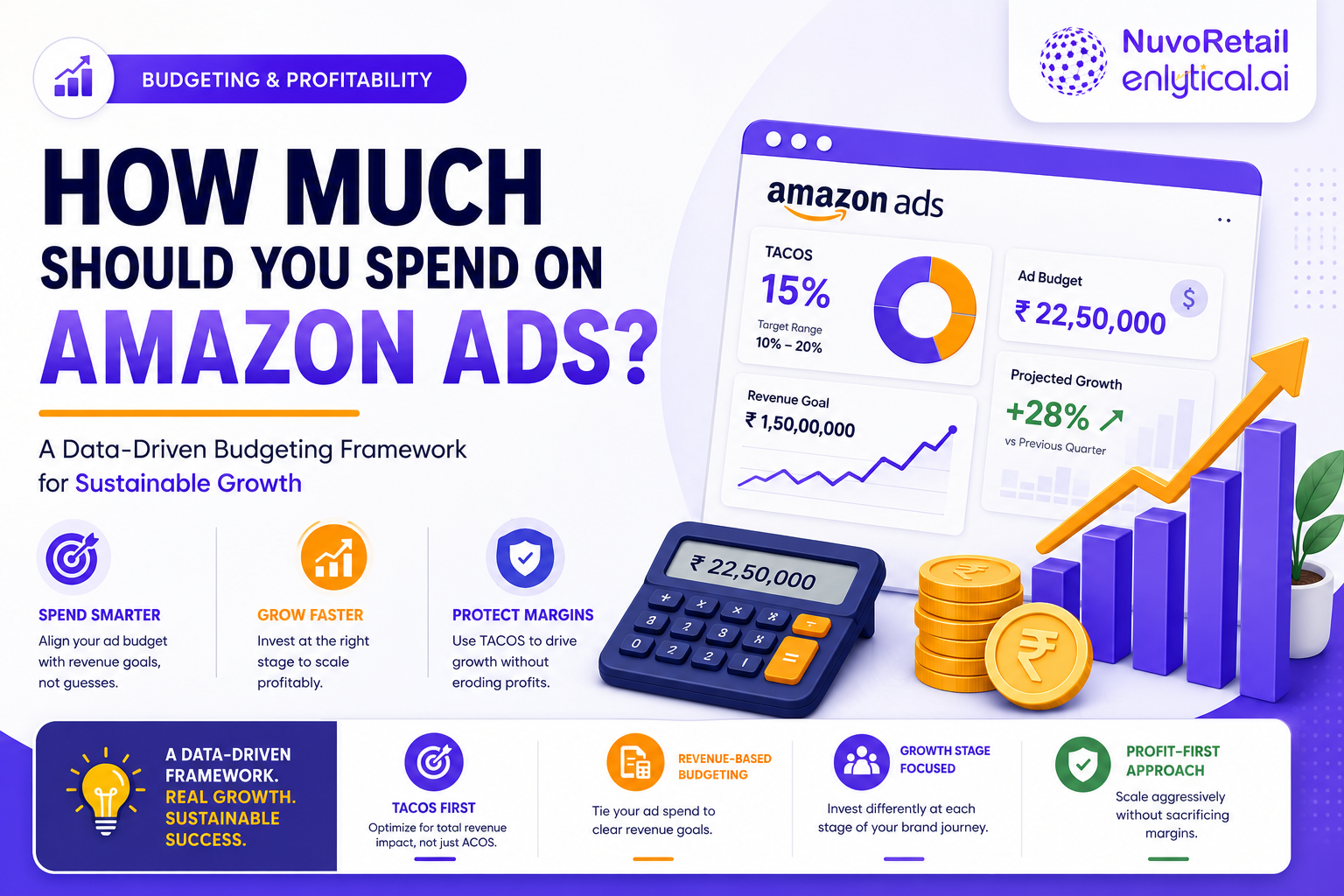
TACOS (Total Advertising Cost of Sales) measures ad spend against your total revenue – both organic and paid. This is the metric that reveals whether your budget is actually driving overall business growth or simply cannibalizing organic sales.
- High TACOS + rising total sales = your Amazon ads budget is fueling real growth.
- High TACOS + flat total sales = you may be overspending without expanding your customer base.
- Low TACOS + steady growth = your organic engine is strong and your ad spend is being used efficiently.
Budgeting around TACOS – instead of ACOS alone – is the foundation of a sustainable Amazon ads budget strategy.
Building a Revenue-Based Amazon Ads Budget Framework
Step 1 – Set Your Budget as a Function of Revenue Goals, Not Guesswork
Instead of asking “what’s the average ad spend in my category,” ask: “What total sales do I need this quarter, and what TACOS can I afford to hit that number profitably?”
A revenue-based framework works backward:
- Define your target monthly or quarterly revenue.
- Determine the TACOS % your margins can support (see profit margins section below).
- Calculate your Amazon ads budget as: Target Revenue × Target TACOS % = Ad Budget
This ties every dollar of spend directly to a business outcome, not a habit. It also makes your Amazon ads budget easy to defend in leadership or investor conversations, since it’s derived from a formula rather than a feeling.
Step 2 – Factor Category Competition Into Your Budget
An Amazon ads budget can’t be set in isolation from the competitive landscape. Before finalizing spend:
- Check cost-per-click (CPC) trends in your category using Amazon’s Brand Analytics or third-party tools.
- Identify how many strong competitors are actively bidding on your core keywords.
- In highly saturated categories, allocate more of your budget toward defensive keywords (your own brand terms) and conquesting (competitor terms) separately, rather than one blended pool.
Categories with heavy competition often require 1.5-2x the ad spend of low-competition niches just to maintain visibility – this should be built into your Amazon ads budget planning, not treated as an unplanned overrun.
Step 3 – Adjust Your Amazon Ads Budget by Growth Stage
Your budget should shift as your product moves through its lifecycle:
| Growth Stage | Budgeting Priority |
| Launch | Maximize visibility, reviews, and ranking velocity |
| Growth | Scale profitable keywords, expand match types |
| Maturity | Defend rank, protect margin, optimize efficiency |
| Decline / Harvest | Minimize spend, focus on high-converting terms only |
Treating every stage with the same Amazon ads budget logic is one of the most common – and costly – mistakes brands make. A budget that made sense at launch will almost always be wrong by the time a product reaches maturity.
Step 4 – Build Seasonality Into Your Amazon Ads Budget
Flat monthly budgets fail to account for demand spikes around events like Prime Day, Q4 holidays, or category-specific seasonal peaks (e.g., garden products in spring, heaters in winter).
Best practice for adjusting your spend seasonally:
- Increase your Amazon ads budget 2-4 weeks before known peak periods to build momentum ahead of demand.
- Reduce spend during predictable off-peak months to protect profit margins.
- Use historical sales data (at least 12 months, if available) to forecast seasonal budget swings rather than reacting after demand shifts.
Brands that treat their Amazon ads budget as a static, unchanging number tend to miss the first week of every seasonal spike – exactly when competitors are ramping up bids.
Step 5 – Protect Profit Margins With a Budget Ceiling
Every budgeting framework needs a guardrail. Calculate your break-even ACOS – the point at which ad spend consumes all your product margin – and treat it as a hard ceiling for your Amazon ads budget, not a target.
Break-Even ACOS = Profit Margin % (before ad costs)
Spending above this line on a sustained basis means every additional ad-driven sale is losing money, unless it’s a deliberate, time-boxed launch or defensive investment with a clear end date.
Common Amazon Ads Budget Mistakes to Avoid
Even with a solid framework, brands run into predictable pitfalls when managing their Amazon ads budget:
- Setting the budget once a year and never revisiting it. Category competition, CPCs, and your own margins shift constantly – an Amazon ads budget should be reviewed at least monthly.
- Confusing ACOS targets with an Amazon ads budget. A target ACOS tells you efficiency; it doesn’t tell you how much total spend you need to hit a revenue goal.
- Cutting spend the moment ACOS rises, without checking whether TACOS and total sales are still healthy. Short-term ACOS spikes during launches or seasonal pushes are often expected.
- Applying the same budget percentage across every ASIN, regardless of each product’s individual growth stage or margin profile.
- Ignoring the cost of stockouts. An Amazon ads budget that drives more demand than your inventory can support wastes spend and can hurt organic ranking when the listing goes out of stock.
Avoiding these mistakes is often more valuable than any single optimization tactic, because they compound over months of budget cycles.
Tools and Data Sources to Manage Your Amazon Ads Budget
Setting the framework is only half the job – you also need reliable inputs to keep your Amazon ads budget accurate over time:
- Amazon Brand Analytics – for category-level search frequency, click share, and conversion share, useful for benchmarking your spend against category trends.
- Amazon Advertising Console reports – for CPC trends, search term performance, and placement-level data.
- Business Reports — for organic vs. paid sales split, essential for calculating TACOS accurately.
- Third-party PPC management tools – for automated bid adjustments and budget pacing, particularly useful once your Amazon ads budget spans dozens of campaigns.
Whichever tools you use, the goal is the same: keep your budget grounded in current data rather than last quarter’s assumptions.
Putting It All Together – A Sample Amazon Ads Budget Allocation Model
A simplified way to allocate a monthly Amazon ads budget using this framework:
- 50-60% – Core revenue-driving campaigns (proven keywords, growth-stage products)
- 15-20% – Launch or new product support
- 10-15% – Defensive brand campaigns
- 10-15% – Competitor conquesting and category expansion
- Reserve 5-10% – Seasonal flex budget for demand spikes
This isn’t a fixed rule – it’s a starting allocation to adjust once you have your own TACOS, margin, and competition data specific to your catalog.
Key Takeaway
Your Amazon ads budget shouldn’t be based on arbitrary percentages or copying competitors. A sustainable, growth-oriented budget is built on:
- Revenue-based budgeting tied to real business goals
- TACOS, not just ACOS, as the guiding metric
- Awareness of category competition and CPC trends
- Budget allocation that shifts across growth stages
- Planning for seasonality in advance
- A hard profit margin ceiling that protects the bottom line
When you build your Amazon ads budget this way, spend stops being a cost center to minimize and becomes a growth lever you can control with confidence — one that scales up or down deliberately, rather than by accident.
Frequently Asked Questions
What is a good TACOS for an Amazon ads budget?
There’s no universal number – it depends on margin and growth stage. Many brands target a 5-15% TACOS in steady-state growth, with a higher TACOS accepted temporarily during product launches.
Should my Amazon ads budget stay the same every month?
No. Your budget should flex with seasonality, growth stage, and competitive shifts in your category rather than staying flat year-round.
How do I know if my Amazon ads budget is too high?
If your TACOS is rising while total sales stay flat or decline, or if your ACOS regularly exceeds your break-even ACOS, your budget is likely too high relative to your margins.
How often should I review my Amazon ads budget?
At minimum, monthly. Brands in fast-moving or highly seasonal categories often benefit from reviewing their budget every one to two weeks.
Ready for What Comes Next in Amazon Advertising?
The way customers discover products is shifting faster than most brands realize. Winning is no longer just about rankings — it’s about making sure your products are understood, recommended, and surfaced by Amazon’s AI, quick commerce algorithms, and the emerging wave of agentic shopping assistants.
At NuvoRetail, we help brands build future-ready commerce strategies through Amazon Marketing Services, Quick Commerce Marketing, marketplace optimization, retail media, and AI-driven commerce solutions. Whether you’re adapting to Amazon’s latest algorithm changes or scaling across Blinkit, Zepto, and Swiggy Instamart, our team can help you stay ahead of the curve.
Contact our experts for an AI-readiness audit and find out how to strengthen your Quick Commerce Marketing and Amazon strategy for 2026 and beyond.